
VideoDownloader
Dituo TechnologyVideo Players & Editors
2.86.00 Reviews
- Version
- 1.14
- Installs
- 100.00K
- Age Rating
- Everyone
Screenshots
Our Review of VideoDownloader
 Analysis by Appyee
VideoDownloader caught my attention for a simple reason: it promises to make saving and watching videos feel less complicated. In my first sessions, I treated it as a practical tool rather than an entertainment app. The appeal is immediate when I want a clip available for later, especially when streaming is inconvenient or I prefer watching through a dedicated player. That straightforward purpose gives it a useful first-week advantage, but it also raises an important question: does it become part of a regular routine, or does it sit unused after the initial curiosity?
Developed by Dituo Technology, this free app belongs to the video players and editors category. Its store summary presents it as a fast video downloader and HD player, while the shorter description simply identifies it as VideoDownloader. That wording sets a clear expectation, but it does not promise a full editing suite or a complete media-management system. I found it easier to judge as a focused download-and-playback utility than as an all-purpose video application.
What the first week feels like
The first-week appeal comes from reducing the number of steps between finding a video and watching it later. Instead of relying entirely on an online stream, I can use the downloader when I need a local copy for personal viewing and then open that content in the player. This is especially useful during a commute, in a place with unreliable connectivity, or when I want to avoid repeatedly searching for the same clip.
The HD player side matters because downloading a file is only half the task. A saved video that is awkward to open, difficult to locate, or unpleasant to watch does not solve much. VideoDownloader makes sense for people who want those two actions in one place: obtaining a video and playing it afterward. I would not install it expecting advanced trimming, color correction, subtitles, transitions, or social-media production tools. Its value is narrower and more practical.
One useful habit is to decide before downloading whether the file has a clear purpose. I found that saving everything quickly creates a messy library and weakens the app’s usefulness. A better workflow is to download only videos I expect to watch again, need for a specific offline moment, or want to keep temporarily for reference. That small discipline turns the app from a collection of random files into a more manageable viewing tool.
The app is free to install, which makes trying it relatively easy. There are in-app purchases ranging from under a dollar to around ten dollars per item, so I would pay attention to any purchase prompt before confirming it. For someone who only needs occasional downloads, the free starting point may be enough to test whether the workflow fits. For heavier use, the presence of optional purchases means the long-term cost should be considered rather than assumed away.
Compatibility is also reasonably approachable for many Android users because it requires Android eight or later. That does not make it universally suitable, especially for people keeping an older phone for basic tasks, but it avoids limiting the app to only the newest devices. The age rating is Everyone, which makes the presentation broadly accessible, although the suitability of any downloaded video still depends on the source and the viewer’s own judgment.
Where it helps in ordinary life
A realistic example is a long bus ride where mobile coverage becomes unreliable. Before leaving, I could save a few short instructional clips or videos I want to revisit, then use the player during the journey without depending on a live connection. The important trade-off is storage: offline convenience consumes device space, so I would remove files once the trip or project is finished.
Another useful case is temporary research. If I am comparing demonstrations, reviewing a visual explanation, or collecting references for a personal project, having selected clips close at hand can be faster than reopening several browser tabs. I would still keep the collection small and organized. The app is more helpful as a short-term working shelf than as a permanent archive.
It can also suit people who prefer a simple viewing routine. Some users do not want a large streaming platform with recommendations, accounts, comments, and constant notifications. A focused downloader and player can feel calmer because the user chooses what to keep. That simplicity is a genuine strength during the first week, particularly for someone who already knows which videos they need.
Practical details that affect daily use
Before relying on any downloader, I would check the source’s rules and only save material I am allowed to download or use. The app’s function does not automatically grant permission to copy every online video. That is not a minor technical footnote; it affects whether the workflow is appropriate for schoolwork, professional projects, or personal collections.
I would also test a small file before starting a large batch. This gives me a chance to confirm that the selected source works as expected, that the resulting file plays properly, and that the destination has enough free space. A short trial is more efficient than discovering later that several large downloads are unusable or have filled the phone.
One non-obvious trade-off is that “HD” should be treated as a playback intention, not a guarantee that every source will become high quality. The original video, the available download option, and the final file all influence what I actually see. If the source is low resolution, changing the player does not recreate missing detail. I would choose quality carefully instead of automatically selecting the largest file.
Another useful approach is to separate temporary downloads from keepers. I would review the folder after watching, delete duplicates, and remove clips that no longer serve a purpose. This is more important with a downloader than with a normal streaming app because saved files remain on the device until I manage them. The app can support offline viewing, but it cannot replace a sensible storage routine.
Does it keep earning space after the novelty?
After the first month, the question changes. The excitement of trying a new downloader disappears, and the app has to justify its place through repeated usefulness. For me, that depends on whether I regularly watch material offline. If my viewing is almost always connected and I rarely revisit saved clips, VideoDownloader becomes redundant. A browser or the official app for a video service may already cover that routine with less manual organization.
It has more lasting value for people with recurring offline needs. A student who repeatedly reviews selected demonstrations, a traveler who prepares a small viewing queue, or a user with inconsistent connectivity may return to the app often. In those situations, the downloader is not just a novelty; it becomes part of a preparation habit. The key is repetition. Without a repeated reason to save videos, the app’s central feature quickly loses urgency.
Compared with ordinary streaming apps, this tool offers a different type of control. Streaming is usually better for discovery, recommendations, synchronized libraries, and immediate access to a large catalog. VideoDownloader is better suited to deliberate selection and local playback. I would choose the streaming option when I want to browse or follow an established service, and this app when I already know which videos I want available outside that service’s normal viewing flow.
Compared with a phone’s built-in file manager and media player, the advantage is convenience around the downloading task. A generic player may handle local files perfectly well, but it does not necessarily provide the same focused route from online source to offline viewing. On the other hand, a built-in solution may feel more familiar and involve fewer extra purchases or maintenance decisions. The better choice depends on whether downloading is a repeated need or just an occasional event.
People who edit video professionally should keep their expectations controlled. The category includes video players and editors, but the confirmed positioning here is centered on downloading and HD playback. I would not replace a dedicated editing application with it for cutting footage, building timelines, mixing audio, or exporting polished projects. It may help me collect or watch reference material, but that is different from production work.
The maintenance burden is easy to underestimate
The app itself may be simple to open, but downloaded media creates ongoing housekeeping. I would need to watch storage usage, remove finished files, avoid duplicate copies, and remember which clips are temporary. If I ignore those tasks, the benefit of offline access gradually turns into clutter. This is the main maintenance burden: not constant configuration, but repeated decisions about what deserves to remain on the phone.
A monthly check is enough for light users. I would sort through saved videos, delete anything I no longer recognize or need, and keep only material with a clear future use. For frequent users, a shorter weekly review would be safer, especially when saving high-quality files. The player may make viewing convenient, but it does not eliminate the need for storage management.
I would also keep the app updated when updates are available, particularly because download tools depend on changing online environments. The current version is 1.14, and the app was released on March 12, 2026. Those details place it in a relatively recent stage of its life, so I would judge it over time by how consistently its core workflow remains usable rather than by the freshness of the release alone.
Another maintenance concern is personal organization. If every file receives an unclear name or lands in an unexpected place, finding a particular clip later becomes frustrating. My practical solution would be to download in small groups, review the files immediately, and keep a short mental or written note about why each one was saved. That sounds mundane, but it makes the difference between a useful offline library and a folder I avoid opening.
Where fatigue begins
The first source of fatigue is repetition. If I must perform the same download process for many individual videos, the convenience can decline quickly. A person building a large archive may prefer a more specialized media-management solution, provided it supports legitimate downloads and the relevant sources. VideoDownloader feels more appropriate for selective saving than for aggressive collection.
The second is uncertainty around source compatibility. A downloader is only as useful as the sources it can handle in practice. Because online services change their formats and restrictions, I would never build an important workflow around one app without testing the exact sources I use. For casual personal viewing, that uncertainty may be acceptable. For school deadlines or work deliverables, I would keep a permitted backup method.
The third is the tension between quality and storage. Higher-quality video is nicer to watch, but it can consume more space and take longer to obtain. Lower-quality files are easier to keep in quantity but may be disappointing on a larger screen. I would select quality based on the device and situation: a small phone screen and a short reference clip do not always justify the largest available file.
There is also a psychological fatigue that comes from managing local copies. Streaming hides much of the organization work, while downloading makes the user responsible for it. That responsibility is worthwhile when connectivity is the problem, but unnecessary when the only goal is casual browsing. If I notice that I spend more time sorting files than watching them, I would return to a conventional streaming or browser-based option.
Who should use it and who should skip it
I would recommend trying VideoDownloader to someone who frequently prepares videos for offline viewing, wants a focused player alongside the download function, and is comfortable managing saved files. It is also a sensible experiment for users who dislike depending entirely on an internet connection and want a simple way to keep selected material nearby.
I would suggest skipping it if the main requirement is serious editing, cloud synchronization, collaborative media work, automatic cataloging, or a broad discovery experience. It is also a poor fit for someone who downloads impulsively and rarely cleans up afterward. In that case, the app may create more storage and organization work than value.
The average rating is 2.8 from roughly three dozen ratings, with a handful of written reviews. I would read that as a reason to test the exact workflow personally rather than assume universal reliability. The install count is over a hundred thousand, which shows that the concept has attracted a meaningful audience, but popularity alone does not tell me whether it fits my preferred sources, phone, or viewing habits.
Because the app is free to start and rated for Everyone, the lowest-risk approach is a small trial: install it, use one permitted source, save a short video, play it back, and then remove the file. I would not immediately commit to a large library or an in-app purchase. That test answers the questions that matter most in daily use: whether the process feels clear, whether playback is comfortable, and whether the resulting files fit my routine.
My long-term verdict
VideoDownloader earns lasting space only when offline video is a recurring need. Its strongest quality is focus: it brings downloading and HD playback together without pretending to be a complete editing workstation or a replacement for every streaming service. In the right routine, that is enough. Preparing a few legitimate videos before travel, keeping reference clips for repeated study, or watching selected material where connectivity is unreliable are all situations where I can see myself returning to it.
Its weaknesses become clearer after the novelty fades. Saved files require attention, source behavior may vary, and the app does not remove the trade-offs between quality, storage, and convenience. The optional purchases also mean I would examine what I am being asked to buy before treating the free installation as a complete long-term solution.
My recommendation is therefore conditional but positive for the right user. I would keep it installed if I regularly download a small, purposeful set of videos and value having a dedicated player ready afterward. I would remove it if my viewing is mostly online, if I need professional editing tools, or if file cleanup keeps interrupting my routine. As a focused utility from Dituo Technology, it can be practical, but its staying power comes from habit—not from novelty alone.
Verdict
Strengths of VideoDownloader
- Downloads videos for offline viewing with a simple interface.
- Supports multiple video formats for flexible playback.
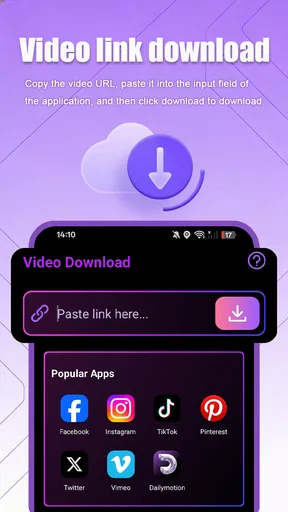
- Built-in browser makes finding downloadable content convenient.
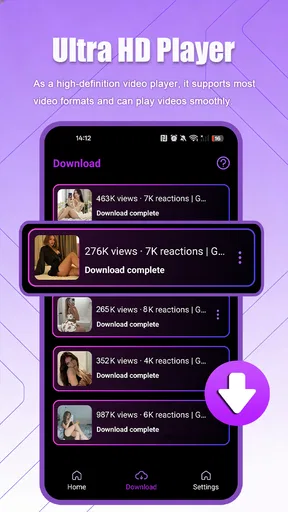
- Download progress is easy to monitor and manage.
- Can reduce mobile data usage by saving videos over Wi-Fi.
Limitations of VideoDownloader
- Some websites may block downloads or limit available video quality.
- The app may contain ads, especially in the free version.
- Downloaded files can use significant storage space quickly.
- Not every platform or video link is supported.
- Users should verify copyright permissions before saving content.
Other Releases by Dituo Technology
View All
VideoDownloaderPro
Video Players & Editors3.7
Similar Picks in This Category
View All
Google TV
Google LLC3.9

iTunes
Apple4.7

YouTube
Google LLC3.8

MX Player
Amazon Mobile LLC4.2

CapCut - Video Editor
Bytedance Pte. Ltd.3.5

PLAYit-All in One Video Player
PLAYIT TECHNOLOGY PTE. LTD.4.5
Frequently Asked Questions
What is VideoDownloader and what can I use it for?
VideoDownloader is an app designed to help users save online videos to their mobile devices for later viewing. Depending on the supported website or service, you may be able to download videos in different resolutions and manage them from within the app. Its usefulness depends on platform compatibility, available storage, and whether the content owner permits downloading.
Is VideoDownloader free to download and use?
VideoDownloader can generally be downloaded without an upfront charge, but the exact experience may depend on the version available for Android or iOS. Some features may be limited, supported by advertisements, or offered through optional in-app purchases. Before installing, check the store listing carefully for subscription details, premium tools, advertising information, and any regional pricing that may apply.
Which websites and video formats does VideoDownloader support?
Support can vary according to the app version, operating system, and changes made by third-party websites. VideoDownloader may work with selected online platforms and commonly used formats, but it should not be assumed that every website or video is compatible. Check the current app description and test a permitted video before relying on it for regular downloads.
Where are downloaded videos stored, and can I watch them offline?
Downloaded files are usually kept in the app’s internal library or in a device folder selected during setup, although the exact location can differ between Android and iOS. Once a video has been saved successfully, it may be available without an internet connection. Make sure the app has enough storage space and review its file-management permissions when prompted.
Is it legal and safe to download videos with VideoDownloader?
The app itself may be safe to install when obtained from an official app store, but users should still review permissions, privacy information, and developer details before downloading. More importantly, downloading copyrighted or restricted material without authorization may violate copyright law or a platform’s terms of service. Use VideoDownloader only for content you own, have permission to save, or that is legally offered for offline use.
